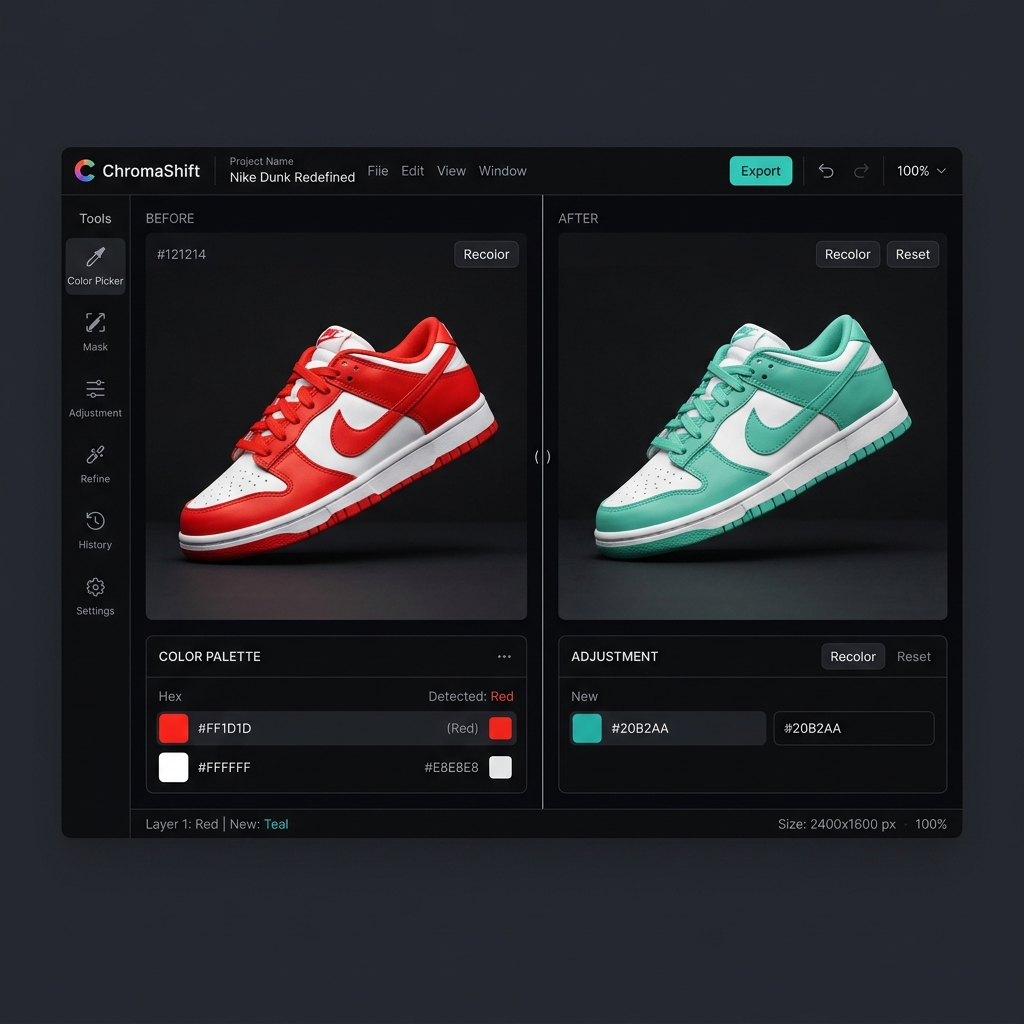
What "recolor" means
Recoloring takes an image that already has color and changes a chosen part of it to a different color. A blue shirt becomes a green shirt; a red logo becomes a teal logo. The tool keeps the original lighting, texture, and shadows and only swaps the hue. This is the job for product photos, apparel variants, logo color changes, and brand asset recoloring.
Because the source already contains lighting information, a good recolor tool works in LAB color space to preserve that detail. The output is the same photo with one color changed — predictable and exact, down to a specific hex code. Recolorify is a recolor tool: you point at a color or object and assign it a new value.
What "colorize" means
Colorizing takes a black-and-white (grayscale) image that has no color information and adds plausible color from scratch. A vintage family photo becomes a color photo; a grayscale scan gets believable skin tones and skies. The tool has to guess what color everything should be, because that data was never in the file.
Colorization is a generative, predictive task — the AI infers that grass is green and denim is blue. It's ideal for restoring old photos and historical images, but it doesn't let you set an exact brand hex, because it's inventing color rather than swapping a known one.
Which one do you actually need?
- Choose recolor if your image already has color and you want to change a specific part to an exact color — product variants, clothing, logos, packaging, design assets.
- Choose colorize if your image is black-and-white or grayscale and you want to add realistic color — old photos, archival scans, restorations.
- Need an exact hex match? That's a recolor job, every time — colorizers don't target precise values.
- Need historical restoration? That's a colorize job — a recolor tool has nothing to swap on a grayscale source.
Why the distinction matters for results
Using a colorizer to "change a shirt color" gives you washed-out, unpredictable results because it's guessing at the whole image rather than swapping one known color. Using a recolor tool on a true black-and-white photo does nothing useful, because there's no color cluster to replace. Matching the tool to the task is the single biggest factor in output quality. If your job is changing colors that already exist — exactly and repeatably — a dedicated recolor tool like Recolorify is the right fit.